


Procura na Grelha
Para superfícies de deslizamento circulares, por vezes, pode ser conveniente exibir várias superfícies de deslizamento em simultâneo. Para tal, selecione a opção "Buscar grelha".
O cálculo da grelha é sempre realizado com base na superfície de deslizamento definida e, como tal, recomendamos que se realize primeiro a otimização da superfície de deslizamento circular.
Também é possível inserir restrições à superfície de deslizamento.
Na caixa de diálogo, inserimos os parâmetro da grelha (centro, raio, rotação). Após realizar a análise, todas as superfícies de deslizamento ficam calculadas e são exibidas com a escala de cores selecionada.
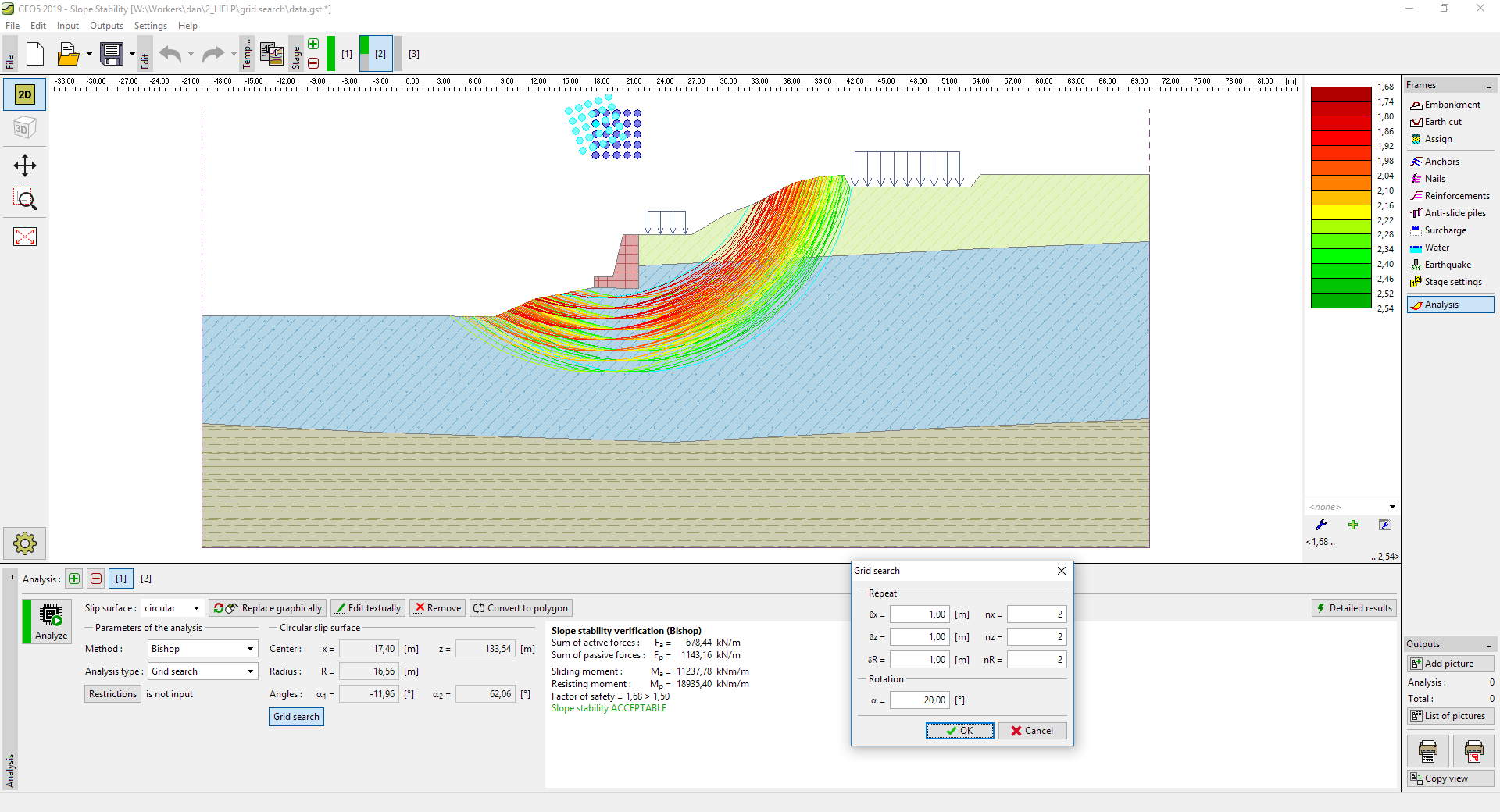 Configurações dos parâmetros da grelha da superfície de deslizamento
Para uma melhor representação, pode ser, por vezes, mais conveniente considerar o fator de segurança apenas até um determinado nível - isto pode ser definido na caixa de diálogo "Definição da escala de cores" através do botão "Gerar valores". As superfícies de deslizamento fora do intervalo considerado não são exibidas.
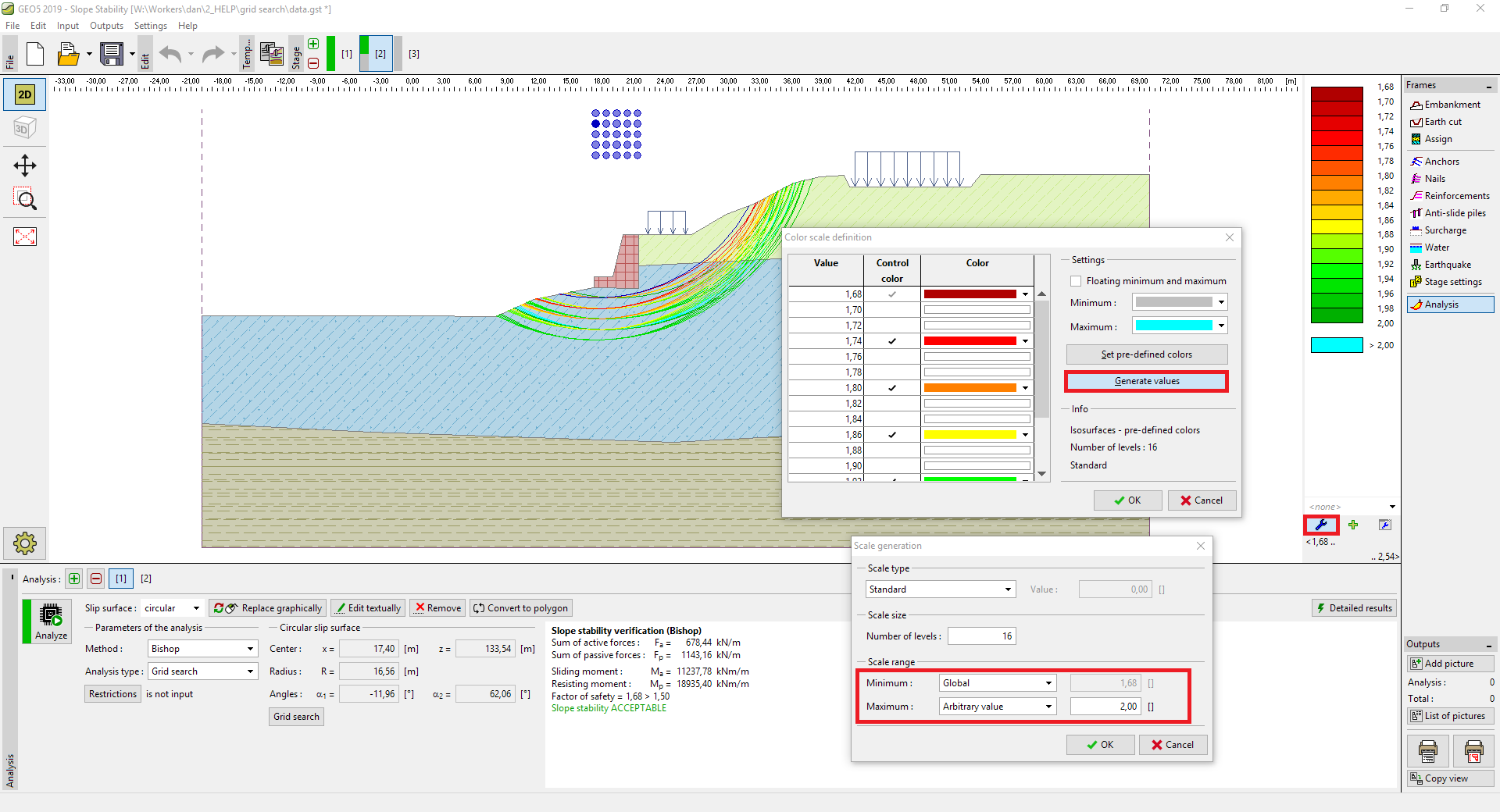 Escala de geração até um determinado nível
Este método também pode ser utilizado como uma otimização manual:
- Utilize a superfície de deslizamento definida e realize a análise.
- A superfície de deslizamento mais gravosa é exibida a azul e o seu centro fica realçado.
- Após voltar a realizar a análise, a superfície de deslizamento mais gravosa é considerada e a grelha é calculada novamente.
- O processo pode ser repetido até que o centro da superfície de deslizamento final seja o centro da grelha.
Em todo o caso, este procedimento é menos fiável do que o algoritmo de otimização standard da superfície de deslizamento e recomendamos que seja utilizado com atenção.