


Modelado mediante interfaces definidas
El modelado mediante interfaces definidas es más sencillo y transparente, especialmente para tareas complejas que involucran fallas y lentes.Las pruebas, perfiles de suelo o perforaciones introducidos no se incluyen en la generación; el modelo se genera únicamente a partir de las interfaces definidas o creadas.Procedimiento de modelado:
- Cree interfaces en el cuadro Secciones Geológicas (ver Modelado utilizando secciones geológicas) o directamente en el marco "Interfaces".
- Asignar la primera capa de suelo debajo del terreno.
- Añadir interfaces individuales (usando el botón "Añadir (al final)") y asigne suelos debajo de las nuevas interfaces.
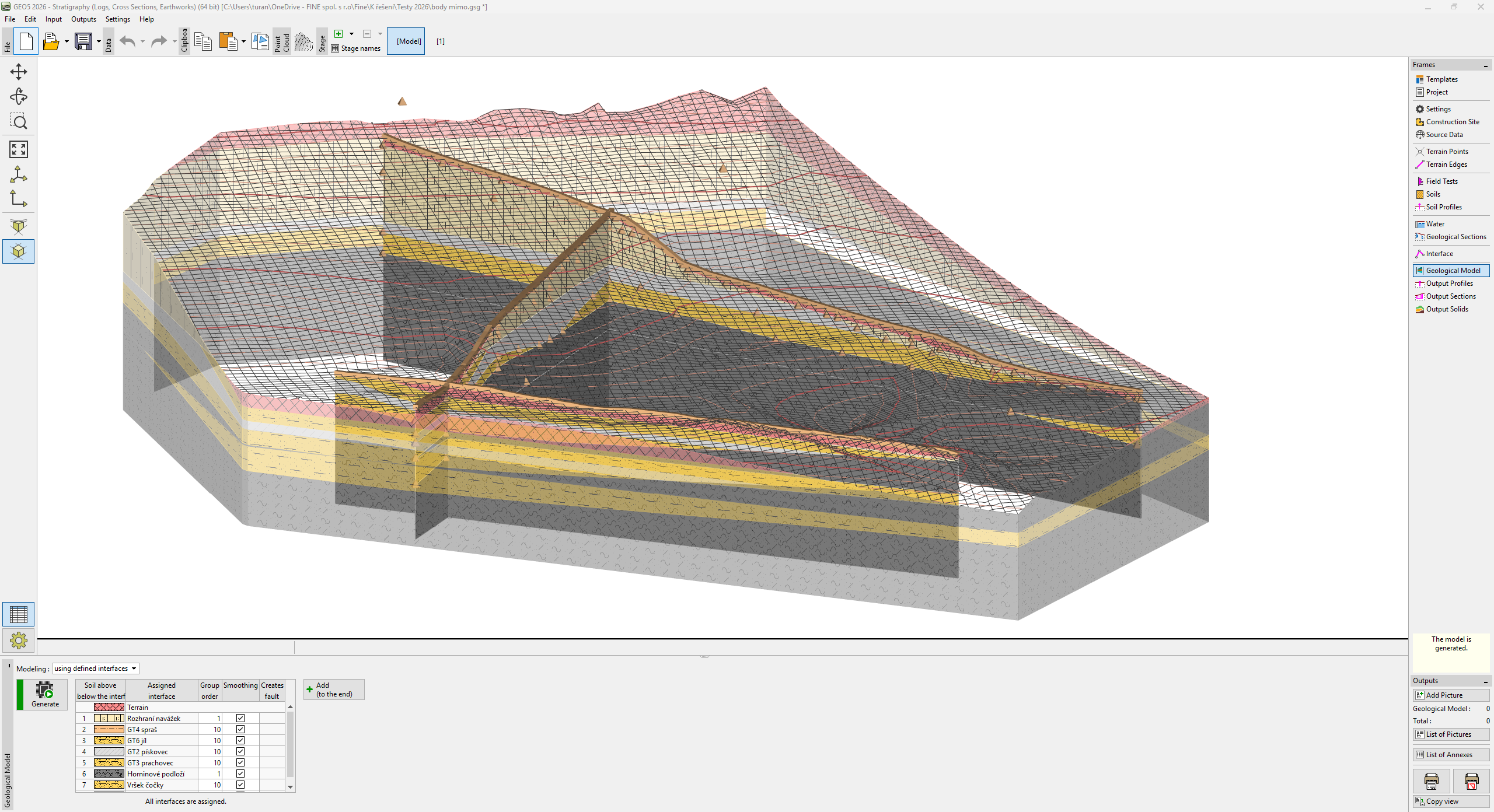 Modelo geológico: modelado mediante interfaces definidas